Comentario 3.20.0 Newferry has landed, with CAPTCHA protection against spam and brute-force attacks, instance labels, and logging improvements.
Comentario is a fast and powerful free comment server for web pages, written in Go.

You can follow relevant news in the Comentario blog or via RSS .
What’s new
Breaking change
First, there’s a minor breaking change in a parameter spelling.
The --log.no-color option ($LOG_NO_COLOR, log.noColor) is renamed to --log.no-colour ($LOG_NO_COLOUR, log.noColour), for consistency with the other options. The corresponding Helm value is now comentario.log.noColour (which is why the Helm chart’s version is bumped to 2.0.0). Make sure to update your configuration when upgrading.
CAPTCHA
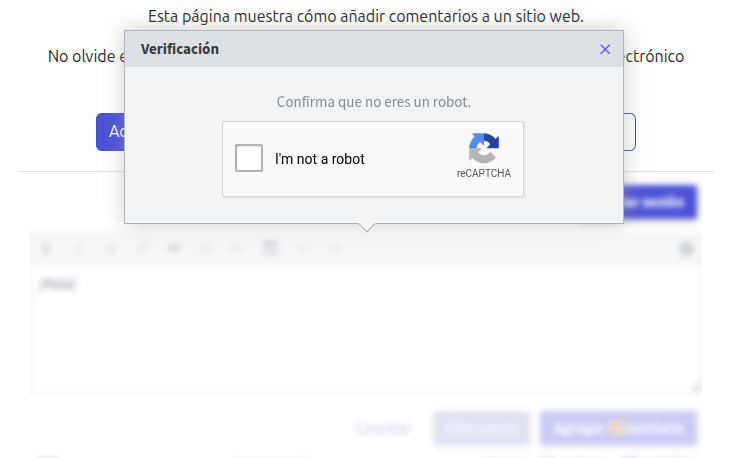
The headline feature of this release is CAPTCHA support (!42, #149), one of the longest-standing feature requests. A CAPTCHA makes a visitor solve a challenge before doing something a bot could do without an account, and Comentario now offers a choice of five:
- Proof of work, built right into Comentario;
- Cloudflare Turnstile;
- hCaptcha;
- Google reCAPTCHA v2 and v3.
CAPTCHAs are implemented as domain extensions, alongside the existing spam and toxicity checkers. Only one of them can be active on a domain at a time, and once it’s enabled, it guards commenting without registration and commenter sign-up out of the box.
Proof of work
The built-in proof-of-work CAPTCHA is the privacy-friendly option: it needs no API key, sends nothing to a third party, sets no cookies, and works even on installations without internet access. The visitor doesn’t need to click on traffic lights, either: when they submit, their browser silently solves a small computational puzzle in the background, which typically takes under a second.
Proof of work doesn’t tell humans from bots: it only makes every action cost a bot some CPU time, which ruins the economics of mass spamming. The difficulty is tunable, so you can turn it up while under attack.
Logins and the Administration UI
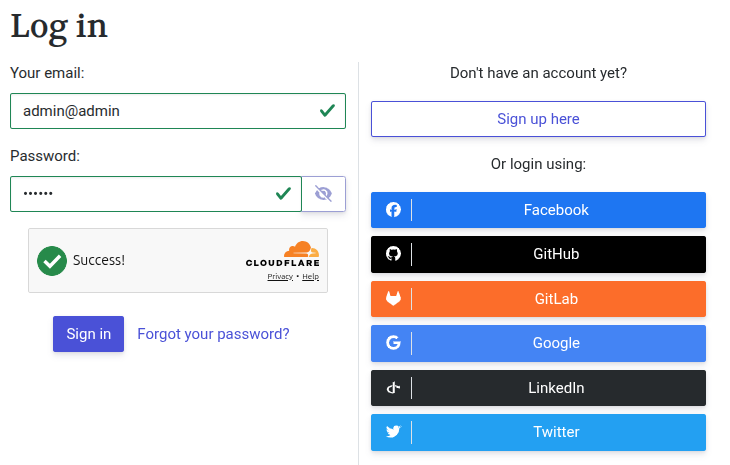
The Administration UI got a CAPTCHA of its own, protecting its sign-up and password reset pages.
Logins are protected, too, but adaptively: a CAPTCHA is only required once an account has had a number of failed login attempts in a row (three by default), both in the Administration UI and in the comments widget. Where no CAPTCHA is configured, it falls back to proof of work, so this works with no setup at all. This makes guessing passwords costly long before the account gets locked, which in turn lets you relax the lockout limit, so that nobody can lock a user out just by entering wrong passwords.
Instance labels
If you run several Comentario instances, for example, production, staging, and a local one, it’s easy to lose track of which one you’re looking at. The new --instance.label and --instance.colour options let you tell them apart: the label is shown under the logo and in the page title, and the colour tints the navbar, sidebar, and footer, and adds a strip to the favicon.
comentario --instance.label=demo --instance.colour=green
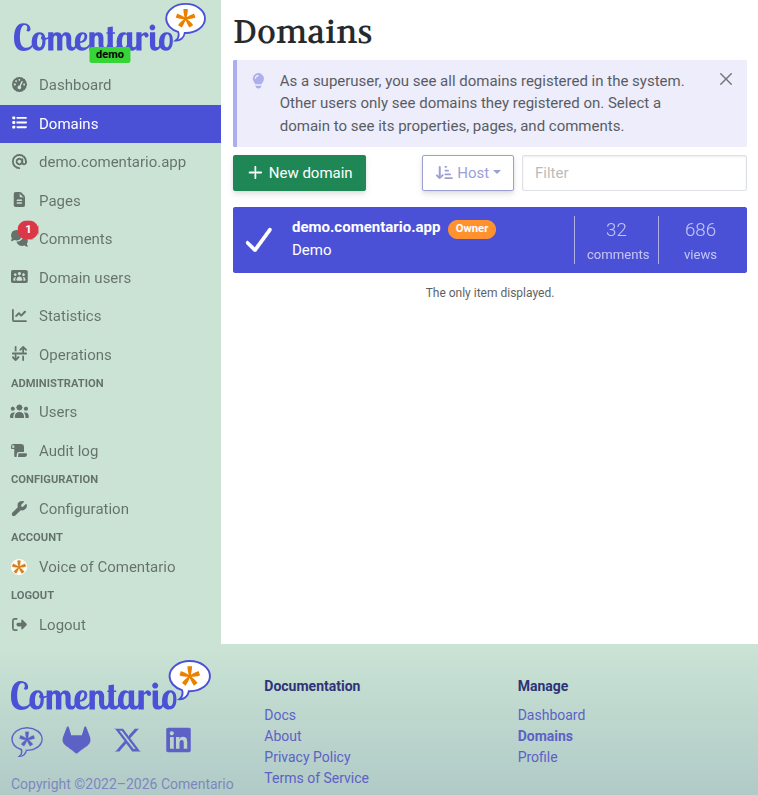
On a related note, every Administration UI page now has its own title, so browser tabs and history are much easier to navigate.
Less noise in the logs
Comentario used to be rather chatty, logging plenty of things that weren’t really a problem. Client errors (4xx responses), routine cookie authentication failures, missing database rows, user-caused failures, and WebSocket events are now logged at lower levels. Missing translations are no longer logged by default either; use the new --log.missing-i18n option to list them on startup.
Security
- The Comentario version is only disclosed to superusers and domain owners.
- Avatar downloads are guarded against private addresses. Should you need to fetch avatars from your internal network, use the new
--private-avatarsoption. - The configuration of domain extensions isn’t returned to non-owners anymore.
Other changes
- Backend: fix Commento import losing websites/avatars (#236)
- Backend: don’t hang WebSocket client goroutines on shutdown; fix panic on double client removal
- Admin UI: fix race in moderator’s comment link handling, and after-login redirect (#235)
- Docs: updated Migration from Commento page
- The demo instance now uses the proof-of-work CAPTCHA
- I18n: add/fix translations
- Toolchain/dependency updates (Go 1.27.3, Yarn 4.18.1).
Live Demo
You can see the new version, as well as its Administrative UI (login with email admin@admin and password admin), on the demo website:
Comments Live Demo Administrative UI Demo
Installation
If you’re interested in trying out Comentario, you can start with these documentation pages:
 — world’s fastest URL shortener
Comments